Spray paints and weapon skins

Recolour your clothing, your gear and your bunker hatch with looted spray cans — how the paint action actually works, what it costs, and how to strip it off again.

Everything you loot looks like everything everyone else looted. Spray paint is how you fix that. It is purely cosmetic — a painted vest stops exactly as much as a plain one — but on a first-person server with no nametags and no group markers, a jacket your squad recognises is worth the paint.

What you can paint

Anyone can spray clothing of every kind (jackets, pants, boots, helmets, gloves, backpacks), plate carrier pouches, and their own bunker hatch — see below.

VIP Premium members can also spray weapons, magazines, optics, suppressors, weapon furniture — stocks, handguards and pistol grips — and containers: barrels, crates, sea chests, protective cases and the like. Membership is at https://dayzed.gg/vip, and it is cosmetic too: nothing you paint shoots straighter.

A few things are never paintable, whatever you pay for: ammunition, armbands and ghillie gear. If the option will not appear on your ghillie suit, that is why, and it is not a bug.

How you actually paint something

The action is not in your inventory screen. This is the part everyone gets wrong:

  1. Put the spray can in your hands.
  2. Drop the item you want to paint on the ground in front of you.
  3. Look at it and open the scroll menu.
  4. Pick the pattern you want, and hold the action while your character sprays.

The drop is the step people miss. The paint options only show up when you are holding a can and looking at a target item lying in the world, never from the inventory screen.

Your bunker hatch is the one exception, because it is already a world object: hold a can, look at the hatch, and the same options appear. Only players authorised on the hatch's codelock get the prompt — the same rule that decides who can open it. It is a good way to tell your own hole in the ground apart from the neighbours'.

What a spray costs

Each spray takes 15 out of the can. VIP Premium members spend 5 instead, so one can covers a whole loadout rather than a jacket and a pair of boots.

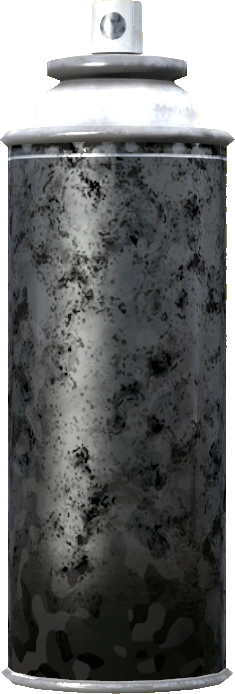
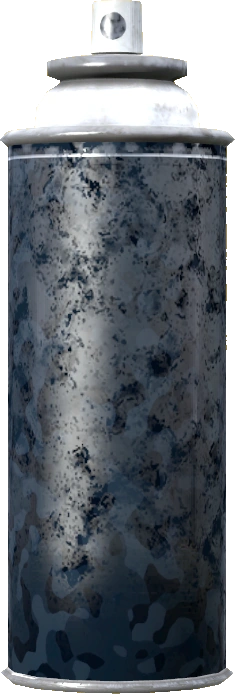
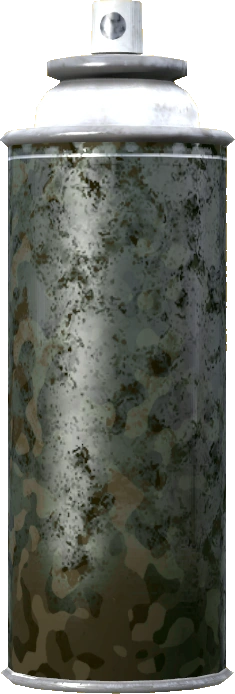
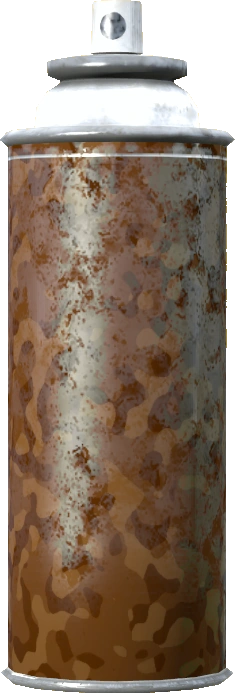
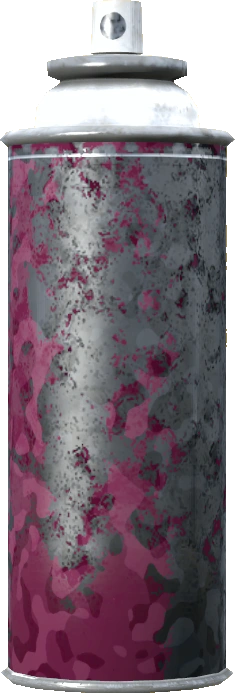
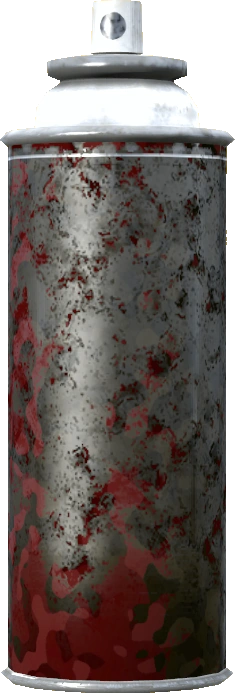
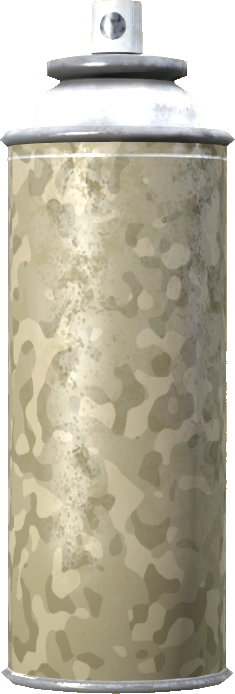
Cans are looted, never crafted, and a can's colour is fixed — you cannot tint or recolour the can itself. If you want a particular colour, you have to go and find a can of it. The colours in circulation are Spray Can (Black), Spray Can (Green), Spray Can (Blue), Spray Can (Orange), Spray Can (Pink), Spray Can (Red) and Spray Can (Tan). Part-used cans of the same colour combine into one, so keep the dribs and drabs rather than dropping them.

Spraying a weapon or a piece of clothing sprays everything attached to it in the same pass — the optic, the suppressor, the stock, the pouches — for no extra paint. Attachments your account is not allowed to paint are quietly skipped rather than blocking the spray.

Colours, patterns and what membership buys

There are eight patterns — Regular, Angular, Digital, Fragmented, Frogskin, Organic, Urban and Woodland — but only Regular is open to every account. The other seven are members-only, on any item at all.

So without a membership there is exactly one thing you can do: spray a piece of clothing, a plate carrier pouch or your own hatch, in the Regular pattern, in whatever colour of can you found. Everything else — every other pattern, and every weapon, magazine, optic, suppressor, container or piece of weapon furniture — needs one.

The [VIP] tag in the craft menu is attached to the pattern, not to the item on the ground: the seven members-only patterns carry it in their name wherever they appear. When the game refuses, it tells you which of the two rules stopped you — the pattern or the item.

Every painted item carries three colour slots. Your first spray fills all three with that can's colour. Each spray after that replaces the next slot in rotation, so three sprays with three different cans leaves you a three-colour item, and the pattern decides how those colours are laid across the model. Spray order matters and there is no preview — plan the sequence before you burn the paint.

That mixing is where the big combination count advertised on the members page comes from: colours across the slots, multiplied by the pattern list. There is no gallery of preset skins to unlock, and no way to type in a colour you have not found a can for.

Parts that have to stay readable are skipped on purpose — glass, reticles, red dots, barrels and carry handles keep their original look, so a painted optic still has a clear lens and a working reticle.

Taking the paint off

Paint is not permanent. Removing it takes alcohol tincture, disinfectant spray or iodine tincture rather than a can:

Remove Spray Paint
MakesSprayRemove when looking at item
Needs10 × Alcoholic Tincture (or Disinfectant Spray, Iodine Tincture)

Same routine as painting — hold whichever of the three you have, drop the item, look at it, pick the option from the scroll menu, and the item goes back to its factory textures.

Stripping a weapon or a piece of clothing also resets every attachment on it. Take the optic, suppressor and stock off first if you want the body back to stock but the rest of the set kept.

What goes wrong

  • No paint option in the menu. Either the item can never be painted (ghillie, armband, ammunition), it is a members-only item type and your account is not a member, or the can is in your inventory instead of your hands.
  • Nothing happens at the hatch. You are not authorised on its codelock. Enter the code first.
  • The colour came out wrong. You sprayed over an item that already had paint, so only the next slot in the rotation changed. Strip it and start again.

See also: Custom flags and armbands for putting your own image on a flag or armband, and https://dayzed.gg/vip for what membership covers.

Last updated 2026-08-24