Bunker upkeep
Once three people are on your hatch codelock the bunker starts charging a daily bill in nails, planks, sheet metal and cinder blocks. Miss it and the hatch, walls and doors rot from the inside.
A bunker is free to hold on your own. Share it, and it starts charging rent.
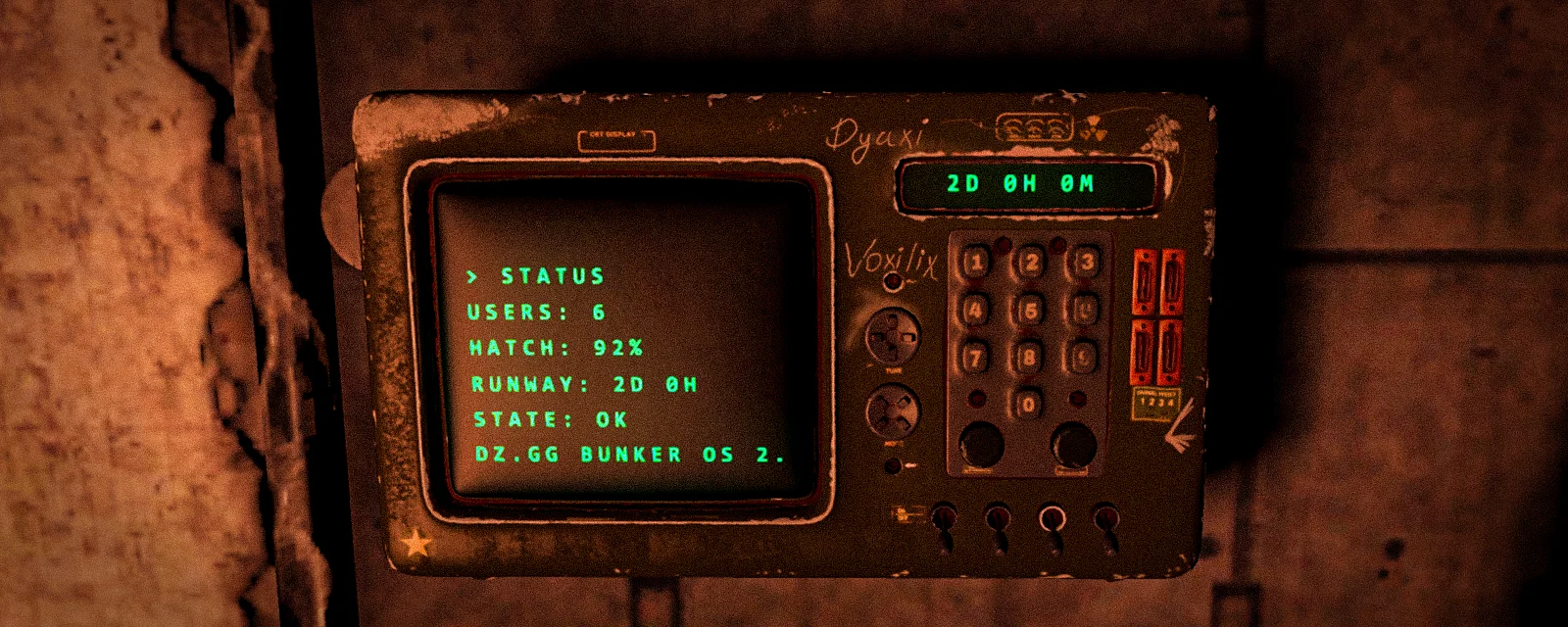
Every bunker has an upkeep panel — a military terminal standing against the wall just inside the entrance door. Once the number of people on the hatch codelock reaches …, that terminal begins billing a daily amount of building material. Keep it stocked and nothing happens. Let it run dry and the hatch, and every wall and door you built, start rotting — quietly, without anyone attacking you, until the whole place crumbles.
The bill scales with the size of your crew, not the size of your base. A pair can hold a fully expanded bunker forever and never pay a nail. A twenty-man clan pays every day, and the payment is deliberately awkward to haul.
Who pays, and how much
The bill is set by the number of people on the hatch codelock — owner plus guests, online or offline. That number is what the terminal calls users, and it is the only thing that drives the cost. Room count, wall tier and how much loot you are sitting on make no difference at all.
Below … users the bunker is on the free tier: no cost, no debt, nothing to do. At … the bill starts, and it grows with every extra person you hand the code to.
Materials come in as your crew grows. Nails and planks from the first billed tier; cinder blocks once you reach … users; sheet metal at …. Cinder blocks are the painful one — one block spawns in place of six to ten sheet metal, and above ten users the block cost climbs faster than anything else. That is deliberate. It is the ceiling on how big a group can comfortably hold one hole in the ground.
This is what your cluster charges per 24 hours, straight from the live settings — not a code default, and not something that needs re-writing when the economy is retuned. The last column is how long a completely full panel lasts at that crew size, which is the number that decides how often somebody has to go hauling.
| People on the lock |  Nails Nails |  Planks Planks |  Sheet metal Sheet metal | Cinder blocks | Full panel lasts |
|---|---|---|---|---|---|
| 1 | free — nothing is charged | — | |||
| 2 | free — nothing is charged | — | |||
| 3 | 18 | 4 | — | — | 100 d |
| 4 | 22 | 5 | — | — | 80 d |
| 5 | 25 | 8 | — | — | 50 d |
| 6 | 29 | 10 | 1 | — | 40 d |
| 7 | 32 | 13 | 2 | 1 | 24 d |
| 8 | 36 | 16 | 2 | 1 | 24 d |
| 9 | 42 | 20 | 3 | 2 | 12 d |
| 10 | 47 | 23 | 4 | 2 | 12 d |
| 12 | 58 | 31 | 6 | 3 | 8 d |
| 14 | 69 | 39 | 7 | 4 | 6 d |
| 15 | 74 | 43 | 8 | 5 | 4.8 d |
| 20 | 101 | 63 | 12 | 10 | 2.4 d |
| 25 | 128 | 83 | 16 | 20 | 1.2 d |
| 30 | 144 | 103 | 20 | 32 | 18 h |
The entry tier always pays the entry price, whatever it has been slid to — moving a start point shifts that material's curve, it does not skip you up it. The terminal's own INFO page resolves the same numbers in game if you want to check them at the panel.
Billing runs every … minutes and takes a proportional slice of the daily cost each time, so materials drain smoothly rather than all at once at some daily reset. Unpaid time builds up as debt, but only up to two days' worth — a bunker left starving for a week does not hand you a week's bill the moment you restock.
Kicking someone does not cut the bill today
The billed user count is a rolling 24-hour high-water mark. Everyone who has been on the lock in the last day counts, and each person drops off individually a full day after they were last seen authorised. Drop a member from a five-stack and you keep paying for five for one more day, then step down to four.
That also closes the obvious dodge. Stripping the lock before a tick, or cycling it between teammates overnight, changes nothing: the hatch remembers the crew, not the lock. Remove the lock entirely and the last known count keeps billing — a raided-out mega-base does not fall back to the free tier.
The one thing that does reset it is a genuine takeover. If someone fits a lock whose entire user list is strangers to the previous crew, that is a new owner: the count starts fresh and the old debts are wiped. A solo raider who takes your bunker inherits nothing.
Paying at the terminal
Walk up to the panel and take Open Upkeep Panel. The screen boots — that takes a couple of seconds and you cannot act during it — and then the terminal opens.
What you see depends on who you are:
- The lock owner gets everything: status, costs, stock, the user list, and a two-press REMOVE USER to kick a guest.
- A guest who entered the code sees status, costs and stock, and can deposit. No user list.
- A stranger is refused outright, with a red owner-only message.
- If the hatch carries no lock, or an unlocked one, the terminal is open to anyone — the same doctrine as the hatch itself.
Depositing is staged, not instant. The [−] [ADD ALL] [+] buttons on each material row build up a pending plan shown in green, and nothing leaves your inventory until you press SUBMIT. A footer line projects the runway you will have after submitting. CLOSE or ESC throws the plan away.
Committed stock is gone for good. There is no withdraw option, and there is no hidden one — the server has no code path that returns material from a panel. Do not park your building supplies in there for storage.
The panel holds at most 2000 nails, 400 planks, 100 sheet metal and 24 cinder blocks. Once cinder is being charged its cap is the binding one — 24 blocks against 2000 nails — so the "full panel lasts" column above is really the cinder column in disguise. That is why a small crew measures its runway in weeks and a large one measures it in days: big clans haul blocks constantly, which is the entire point.
You can also read the state without opening anything. The panel's name says it — Upkeep Panel (5 users, 145 nails/day, 37h left) — and its little display spells out the remaining runway in
green, or DECAYING in red.
What happens when it runs dry
Any single material in arrears decays the whole bunker. Being flush with nails does not help if you are one cinder block short. An empty panel starts decaying on its first billed tick, not when the first whole item comes due.
While unpaid, two things rot:
- The hatch loses between … and … of its health per day, scaling up with your user count.
- Every wall and door you built loses health at twice the hatch's rate. Interiors collapse well ahead of the front door, and a module that hits zero is gone.
Dividers, furniture, loot and the panel itself are never touched, and the panel cannot be destroyed by raiders to force this.
At … cumulative damage the hatch blows open exactly as if it
had been raided — the codelock stops mattering and anyone can walk in. Decay does not fire the raid
alarm, because nothing is actually attacking you; there is no hit, no attacker, and no Discord ping.
The only warning is public rather than private: while you are in arrears, the surface hatch reads
Bunker Hatch (Health: 41%, Decaying), so anyone walking past can read your neglect off the door.
If it goes all the way down, the hatch bottoms out at 1% and stamps the crumble clock: … hours later everyone inside is ejected, everything within the bunker is deleted, and the shell and hatch despawn. Restocking at that point does not save you. Once the crumble deadline is stamped it is terminal — the blowtorch is refused while crumbling, and the 1% floor is far below the level upkeep could heal you back to.
The 70% rule
There is one trap worth committing to memory, because it bites paid and free bunkers alike.
Below the blown-open line — … damage — the hatch drains
every day no matter what. Stocked upkeep does not stop it. The free tier does not stop it; a solo
bunker at 1–2 users still drains at the minimum rate. Only repairing the hatch back above that line
stops the bleed, and the terminal will tell you so in red: HATCH FAILING - draining X%/day.
So a hatch that has been raided open and left is not a stable state you can sit in. Get a blowtorch on it.
The scar: what a blowtorch cannot fix
Decay damage and raid damage are tracked separately, and tools only ever repair the raid share.
Damage the hatch takes from unpaid upkeep accrues into a pool — the scar — capped at 20% of its health. A blowtorch can always repair up to 100% minus that scar, so the tool will always get a neglected hatch back to at least 80%, but never past it. Try to repair into the scarred band and you get a red refusal telling you upkeep regenerates it.
The scar heals only one way: keep the panel stocked. Every tick that is not in arrears heals the hatch pool by 20% of max health per day and wall and door pools by 40% per day, regardless of how fast the damage came. Walls and doors regenerate unconditionally. The hatch only regenerates while it is above the 70% line — which is the 70% rule again, from the other side.
In one sentence: neglect scars the hatch by up to 20%; only paid upkeep heals the scar, and the torch fixes everything else.
What goes wrong
- "I stocked it and it is still decaying." Check every material row, not the one you just filled. One empty line decays the whole bunker.
- "I paid and the hatch is still draining." It is under 70% health. Nothing but a blowtorch fixes that — see the 70% rule.
- "The blowtorch stops at 80%." That is the scar. Keep the panel stocked and the last 20% comes back on its own over about a day.
- "I kicked three people and the bill did not move." It will, a day after each of them was last on the lock. Kicking is not revocation either — the codelock re-adds anyone who enters the correct code, so change the code if you actually want them out.
- "I want my cinder blocks back." There is no withdraw. Deposits are final.
- "My bunker crumbled while I was away." The crumble clock runs on real time and keeps counting while the server is down and while you are offline. Nothing pauses it.
- "The terminal says someone else is using it." One person at a time. A stale session frees itself after a few seconds.
- "I am standing next to it and the menu closed." The terminal force-closes past five metres.
Upkeep is not the same thing as the bunker's power generator. That one burns fuel to keep the lights on and the plants growing; it has nothing to do with this bill, and running it dry costs you light, not your base.
See also: Underground bunkers, Bunker walls, doors and tiers, Raiding and repairing bunkers, and the underground bunkers guide for building one in the first place.
Last updated 2026-08-25